NukeLab
Multi-user scientific computing platform with on-demand containerized nuclear-engineering workspaces, granular RBAC, real-time monitoring, and credit-based resource management.
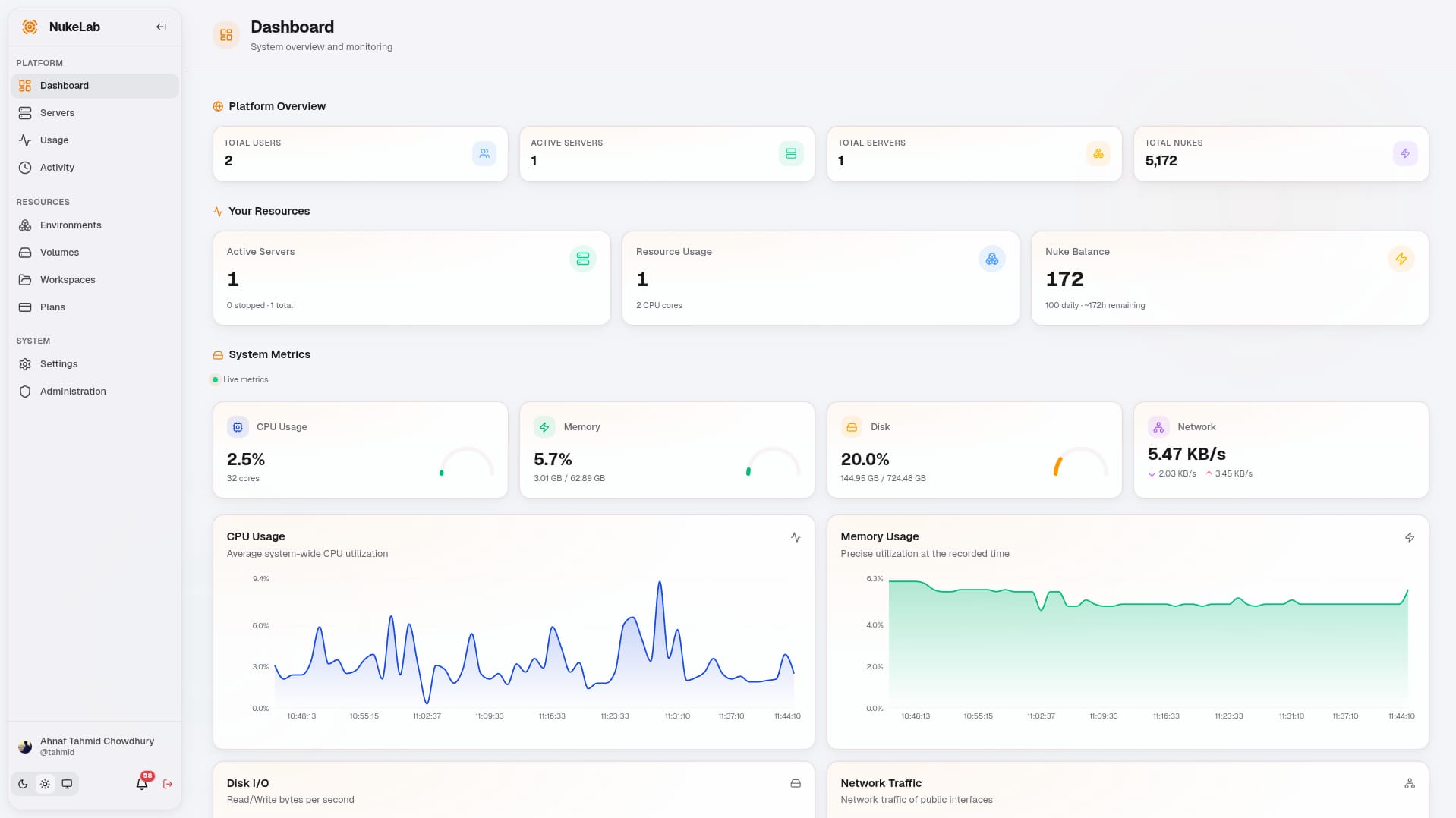
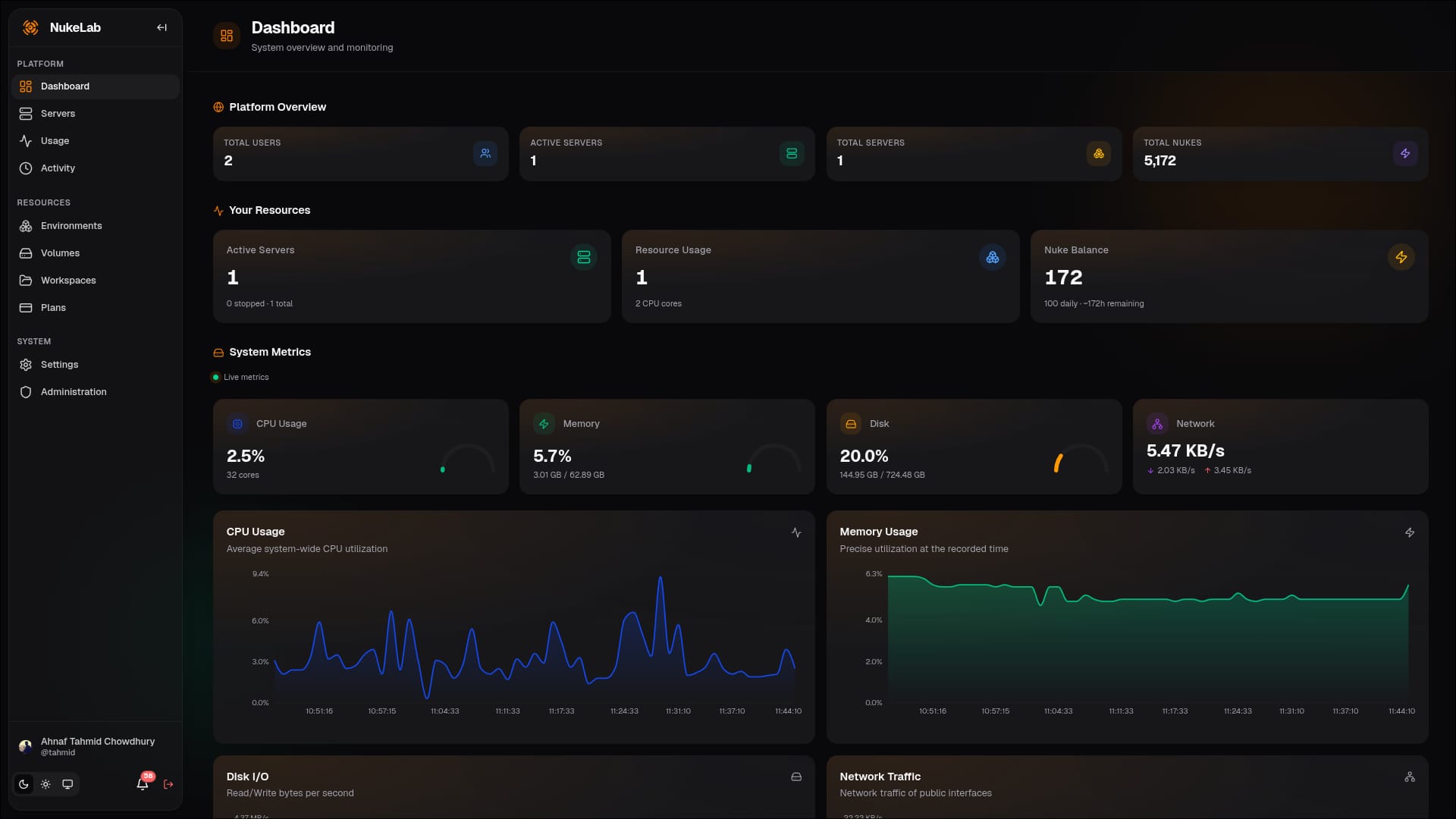
Built for Teams That Simulate
On-demand nuclear-engineering workspaces with enterprise governance, monitoring, and collaboration.
Containerized Workspaces
Spawn browser-accessible NukeIDE environments instantly, managed by a FastAPI backend.
Custom Environments
Admin-configurable Docker templates define installed tools, packages, ports, env vars, and resource defaults.
Granular RBAC
Six predefined roles with 20+ permissions, plus a visual permission-matrix editor and per-user overrides.
Live Monitoring
Real-time CPU, memory, disk, and network metrics streamed over WebSockets with alerting and health checks.
Dynamic User Environments
Admins create Environment templates that define the container image, packages, ports, volumes, and defaults. NukeLab turns each template into on-demand, isolated per-user workspaces.
Environment Templates
Build Docker images with your simulation codes, IDE extensions, Python packages, and configuration. Every server spawned from a template is isolated and inherits the template's settings.
- Admin-defined Docker image templates with optional custom Dockerfile
- Per-user NukeIDE (Theia) containers with JWT auth proxy
- Persistent volumes and configurable port exposure
- Resource plans enforcing CPU, memory, and disk limits
- Runs on Docker or Podman with Traefik v3 dynamic routing
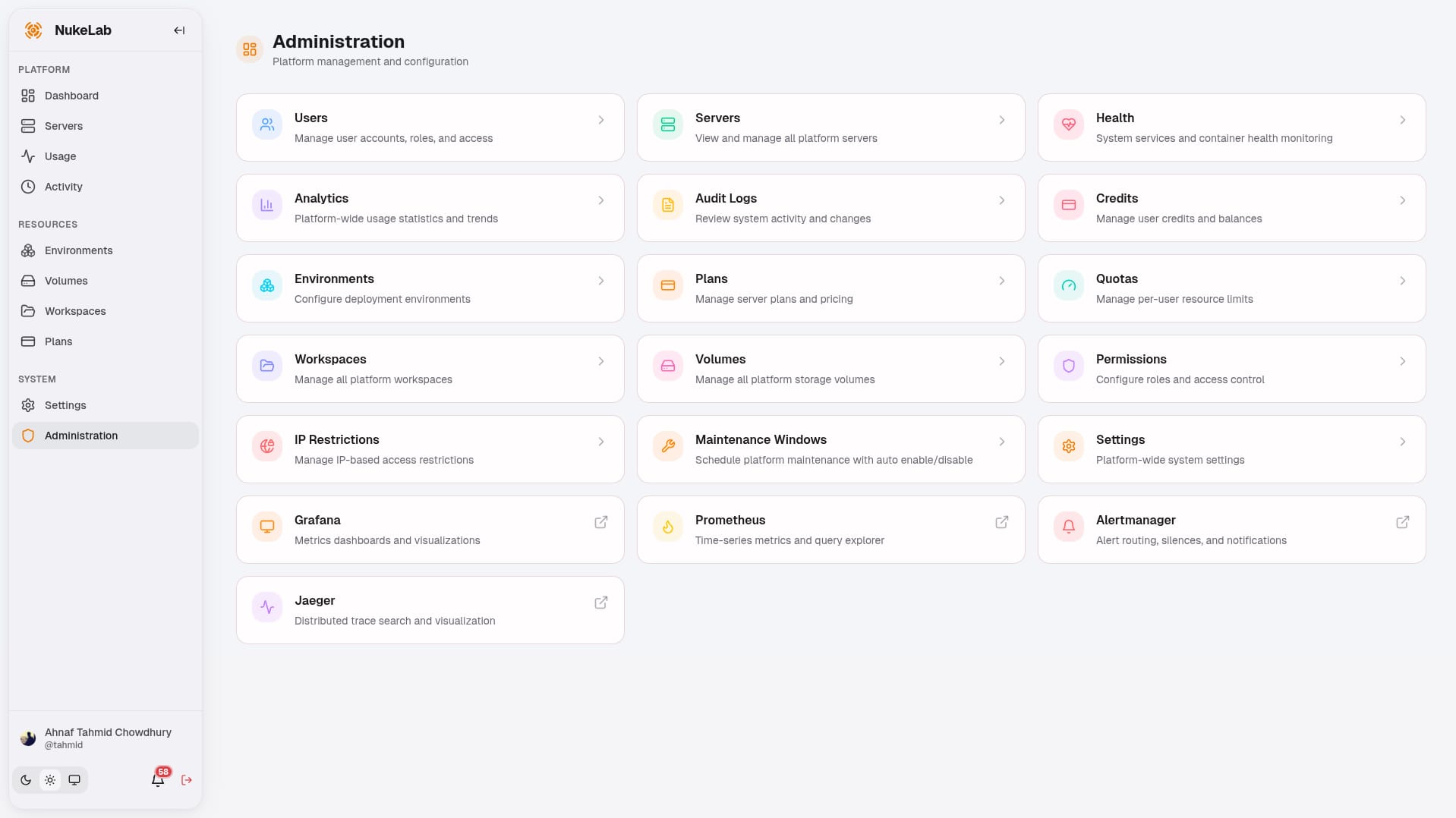
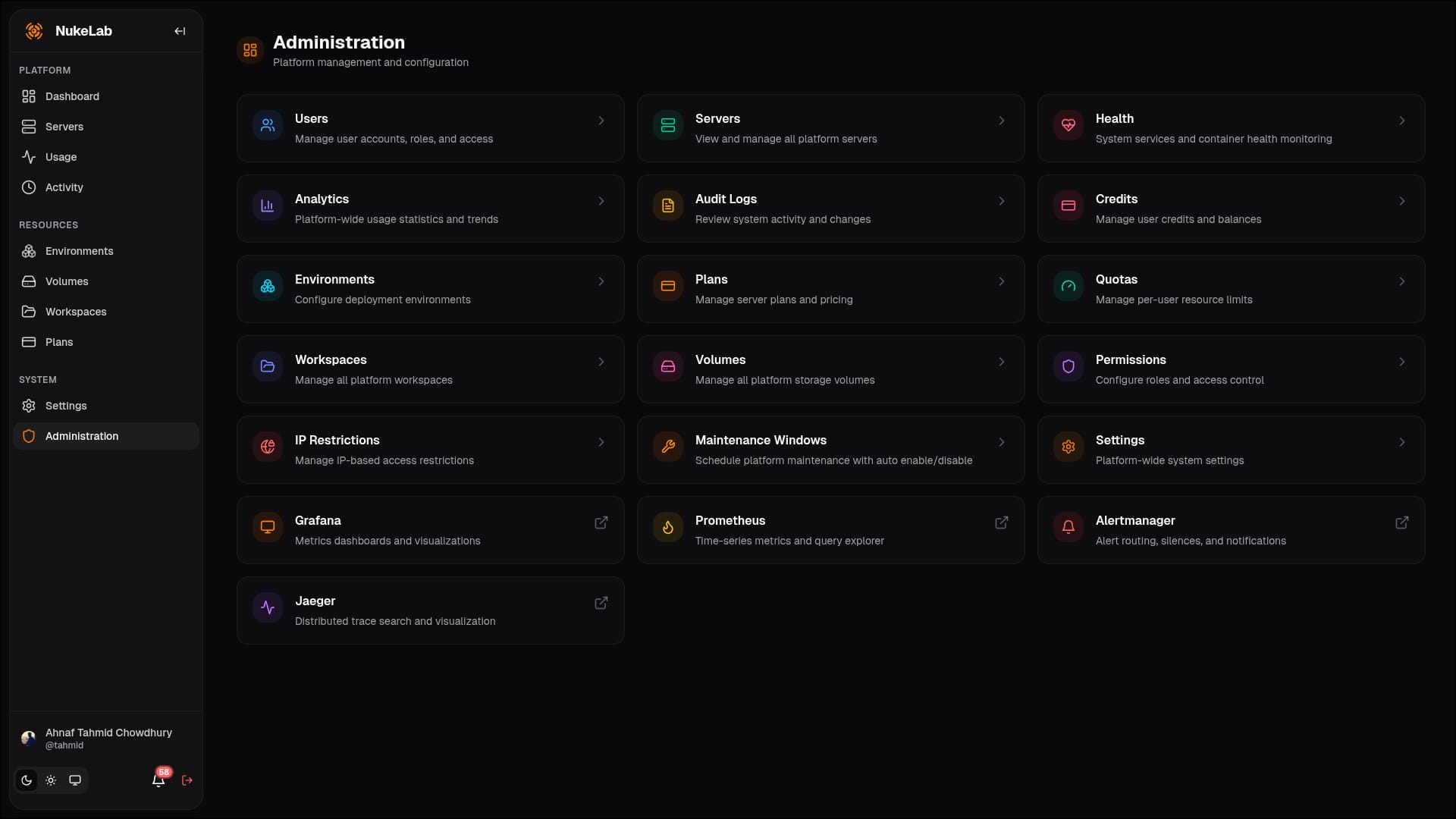
Modern, Self-Hosted Architecture
Optimized for constrained bare-metal. Docker or Podman. No Node.js runtime overhead in production.
Traefik v3 Proxy
Dynamic container routing, TLS termination, rate limiting, and native WebSocket proxying.
Vite + React 19 SPA
Static dashboard with TanStack Router/Query, Recharts, and shadcn/ui primitives.
FastAPI Backend
Python 3.13 async API with Pydantic v2, SQLAlchemy 2, Alembic, and async Docker SDK orchestration.
PostgreSQL + Redis
PostgreSQL 17 for persistent state, Redis 7 for sessions, pub/sub, Celery, and response caching.
Celery Workers
Background cleanup, notifications, scheduled maintenance, report generation, and cron tasks.
Security Hardened
CSRF protection, IP allowlists, rate limiting, security headers, path traversal defenses, and audit logs.
Fair-Share Resource Plans
Decouple what runs from how big it is. Plans define CPU, memory, disk, runtime, idle timeout, and NUKE cost.
Small
Light analysis, notebooks, and quick experiments.
- 2 CPU
- 4 GB RAM
- 20 GB Disk
Medium
Standard simulations and data processing workflows.
- 4 CPU
- 8 GB RAM
- 50 GB Disk
Large
Heavy parallel CPU workloads and longer runs.
- 8 CPU
- 16 GB RAM
- 100 GB Disk
XLarge
Maximum resources — admin approval required.
- 16 CPU
- 32 GB RAM
- 200 GB Disk
From Login to Simulation in Minutes
A streamlined workflow for researchers, engineers, and educators.
Sign In
Authenticate via local credentials or your organization's OAuth2 / OIDC provider.
Deploy a Server
Pick a pre-configured environment and resource plan, then spawn a containerized workspace.
Run Simulations
Open NukeIDE in the browser and work in your containerized workspace with the tools and data you configured.
Share & Scale
Invite collaborators to shared workspaces, monitor live metrics, and schedule automated start/stop.
Ready to Run Simulations in the Cloud?
Deploy NukeLab on your own hardware or try the hosted instance today.